No one can take it away. Including us.
Your passwords stay on your devices and sync through storage you control. No accounts to lock, no central database to breach, and no middleman reading along.
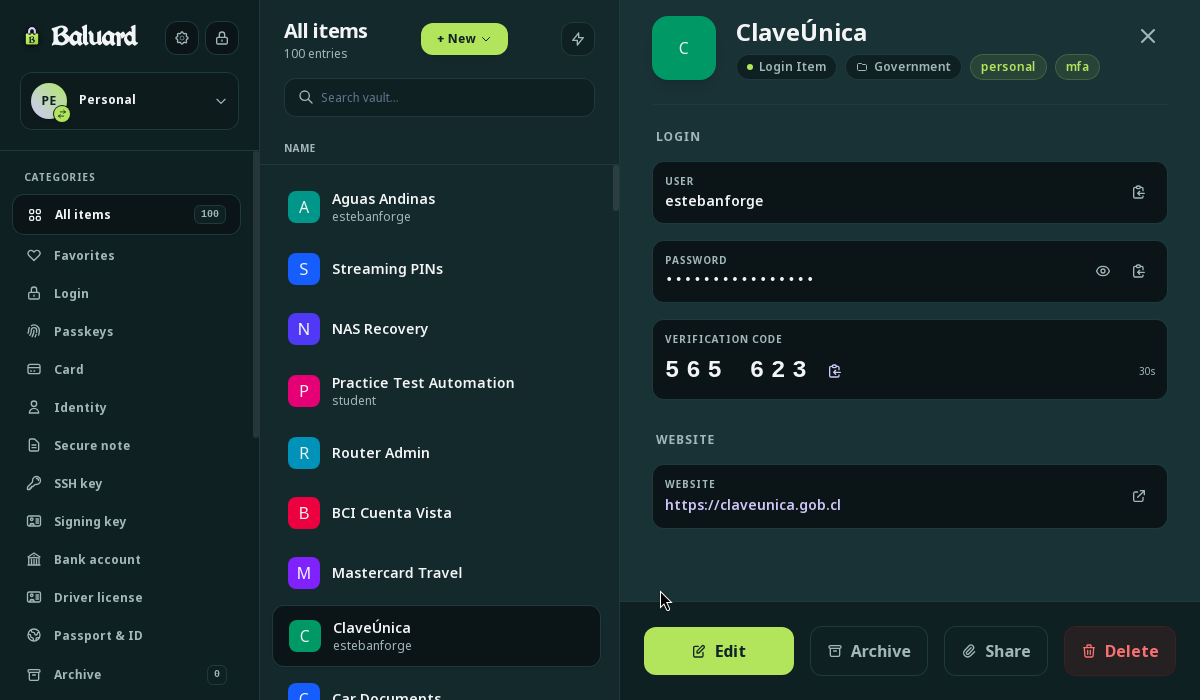
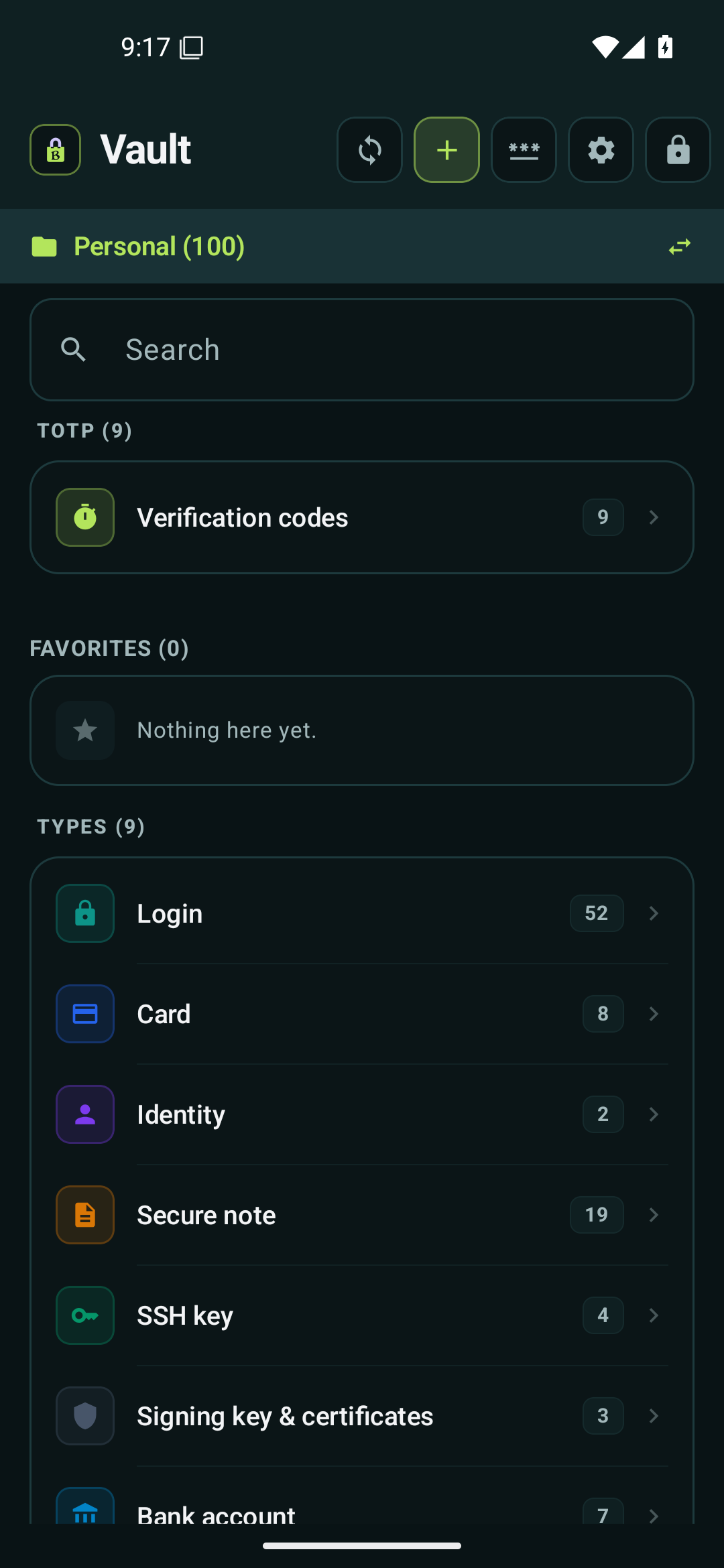
Why the architecture is the security model.
Most password managers store everyone's vaults in one giant cloud database. If that company gets breached or sold, your encrypted passwords and unencrypted metadata end up in new hands. Baluard works like a personal safe in your home: your passwords stay on your own hardware, so there is no central database to break into.
A Safe in Your Home
Your vault stays on your physical phone and computer, encrypted with a key only you hold. Every entry is padded to identical size so observers cannot guess what is inside.
Keys Exchanged in Person
Your phone and computer pair directly with each other like two people swapping keys face-to-face. No central account, no corporate sign-in, and no company server in the middle.
Sync Through Your Own Notebook
Sync your vault through a private Git repo, your home server, or a USB drive. The remote host sees only scrambled ciphertext. Even a total breach of the sync host exposes zero passwords.
Engineered for sovereignty and longevity.
Built for autonomy, durability, and device-level custody.
Hardware Key Vault Sealing
Enroll a YubiKey or FIDO2 hardware token to seal the entire vault. Even if an adversary extracts your master password, the vault refuses to decrypt without a physical touch on your security key.
- Hardware challenge-response via FIDO2 hmac-secret
- Canary verification validates authentication state without exposing master keys
All 9 Cipher Types + Passkeys
Store logins (with embedded passkeys), cards, identities, SSH keys, bank accounts, driver licenses, passports, secure notes, and code signing keys.
- RFC 6238 compliant integrated TOTP code generator
- Native SSH and code signing key storage with public key export
Spaces & Family Collaboration
Share specific credential collections with family or team members without a central identity provider. Uses cryptographic invite codes and device-to-device grants.
- Phrase-only emergency recovery kit for estate and family continuity
- Role-based access grants: Owner, Admin, Editor, and Viewer
Browser Extension & Autofill
Native browser integration for Firefox, Chrome, and Chromium-based browsers. Autofill credentials, capture new logins, and sign into WebAuthn passkeys directly through local daemon IPC.
- Direct local socket communication with zero cloud telemetry or analytics
- Instant domain matching and one-click TOTP code filling
Git 3-Way Merge Conflict Resolution
Because Baluard is built on Git, concurrent edits on two offline devices never overwrite each other. When divergent changes occur, Baluard lets you inspect and resolve discrepancies field-by-field.
- Preserves divergent offline edits without silent overwrites
- Full commit history preservation for audit and rollback
Scriptable, daemon-backed terminal client.
The `baluard` CLI gives you 35 commands with daemon-first speed and an offline `--direct` fallback. Perfect for dev environments, headless servers, and CI pipelines.
Read the Security White Paper
Baluard publishes its complete cryptographic architecture and threat model. Everything claimed on this site can be verified in public source code and audited directly.
Read the White Paper (Full 13 Sections) →| Vault Cipher | AES-256-GCM (Authenticated) |
| Key Derivation (KDF) | Argon2id (m=64 MiB, t=3, p=2) |
| Asymmetric Sealing | HPKE (RFC 9180, DHKEM-X25519) |
| Commit Integrity | Ed25519 Device Signatures |
| Memory Hygiene | Zeroize on Drop & Lock |
Get Baluard for your platforms.
Stand-alone binaries with cryptographic release checksums. No account creation, no cloud activation. This is a beta release.
 Linux
 Windows
 macOS
Beta builds of deb, rpm, and the CLI tarball also live in the GitHub releases.
Prefer system updates via APT or DNF? (Ubuntu, Debian, Fedora) View repository instructions ↓
Install from the official repository to pull beta updates directly through your system package manager.
sudo curl -fsSL -o /usr/share/keyrings/baluard-archive-keyring.asc https://baluard.app/repo/baluard-release.asc && curl -fsSL https://baluard.app/repo/baluard.sources | sudo tee /etc/apt/sources.list.d/baluard.sources && sudo apt update && sudo apt install baluardUses the deb822 format (default on Ubuntu 24.04+ and Debian 13+). The armored key is used directly, no dearmor step.
sudo dnf config-manager addrepo --from-repofile=https://baluard.app/repo/baluard.repo && sudo dnf install baluardFedora 41+ (dnf 5). On RHEL and clones (dnf 4): sudo dnf config-manager --add-repo=https://baluard.app/repo/baluard.repo
Repository signing key fingerprint: 223310EA BF1A B6FE E6BD DF3E 2A53 1D54 E6D7 4804. Always verify this fingerprint before trusting repository imports.
On Android? The free and open-source build lives on F-Droid. View F-Droid instructions ↓
The F-Droid distribution is free and open-source software: the build is compiled and signed by the F-Droid repository infrastructure, and updates arrive through the F-Droid client itself.
With F-Droid installed, open https://baluard.app/fdroid/repo/ on your phone and tap Add to F-Droid.
Or add it by hand: in F-Droid, open Settings > Repositories, tap +, paste the URL, and enter the fingerprint below so the repository shows as verified.
Repository fingerprint: 1CE90DCFE0FB1003F2F66999257B5E6F074E46EE453FB0D44F8CF8E13E6EEAAB
Browser Extensions
MV3 companions that talk directly to the local `baluard-daemon` via native messaging. Strict origin matching, zero remote telemetry.

